
How do I select my Reserved Seats for an event?
Purchasing reserved seats for your event is easy! Here's how to do it.
First find your event and select 'Buy Tickets'. A list of seat section options and prices will be listed on the event page for reference. To advance to the seat selection map, click the 'Find Tickets' button.
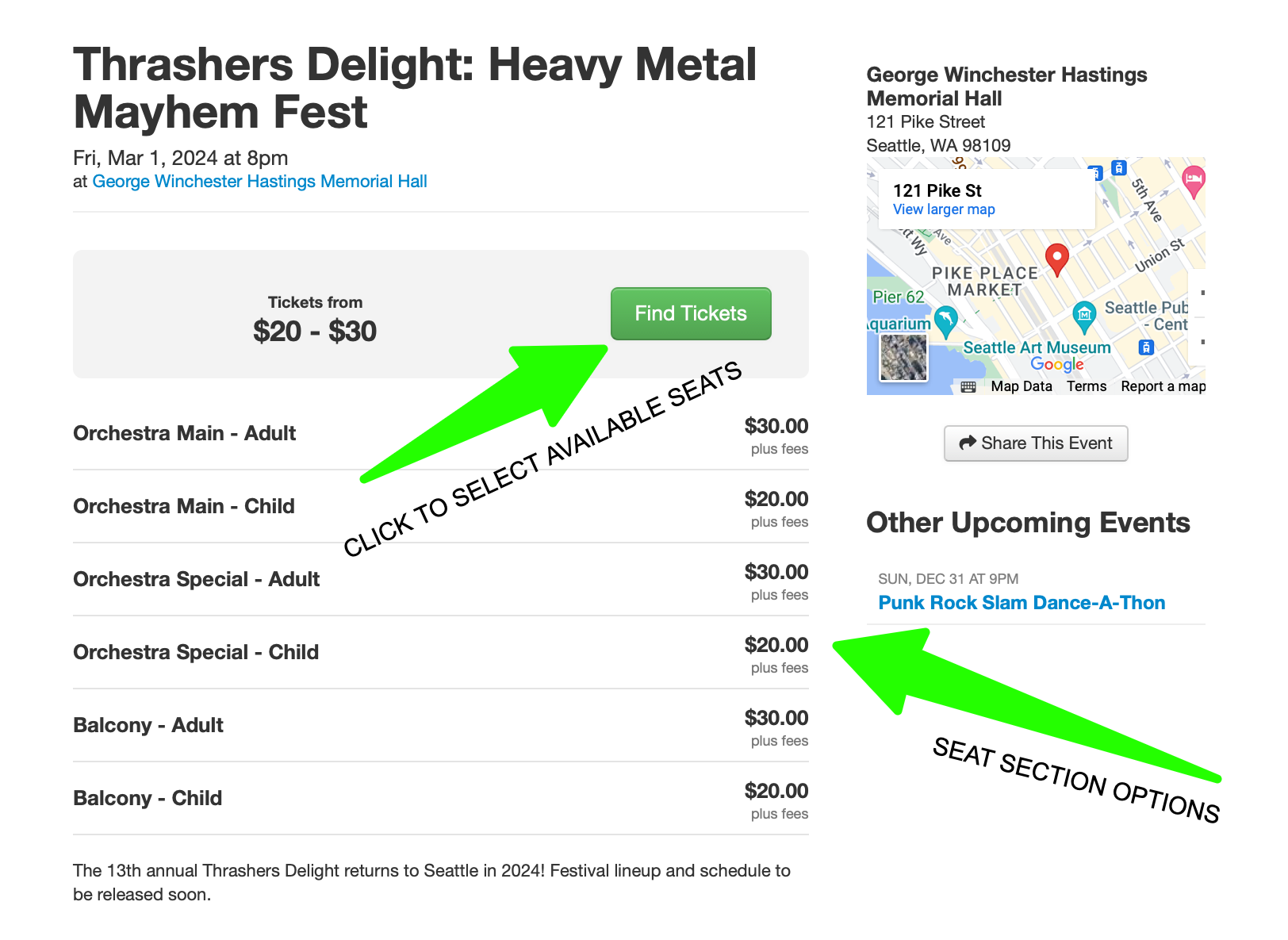
The seat map will display all available seats by section. You can reference the venue's floor plan and seat orientation as you consider your selection. You can zoom in, navigate to different floor levels (mezzanine, balcony etc) if the venue has those. Use the tool at bottom right of the map to move around the seating area. You'll see the different seat sections differentiated by seat color. Seats that have already been purchased will be greyed out.
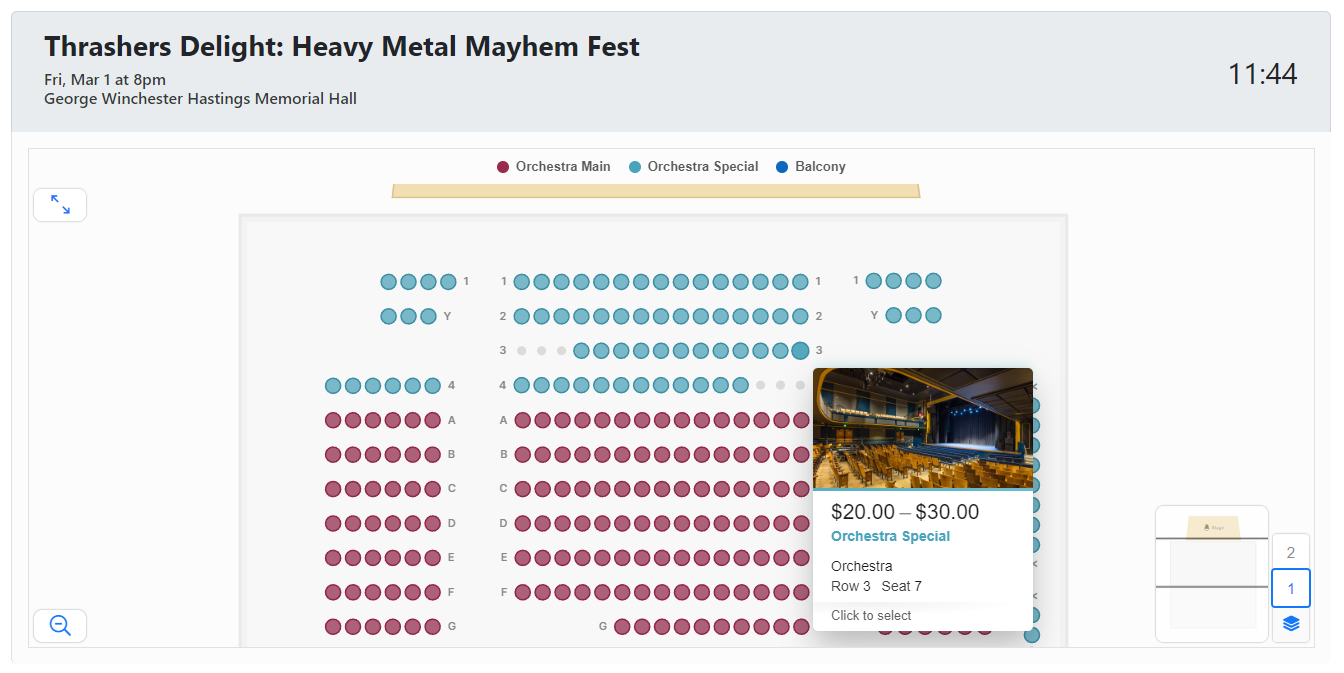
Hover over seats to confirm location, view pricing, and confirm availability. Click on each of the seats you wish to purchase from the available options. Keep an eye on the cart timer counting down in the top right corner as you decide on your seats.
Once you've selected your seats, you can either proceed directly to checkout via the 'Proceed to Checkout' bar at the bottom, or can also check your current order first at the 'Tickets Selected' tab just above the checkout bar. When you're all set, proceed to checkout!
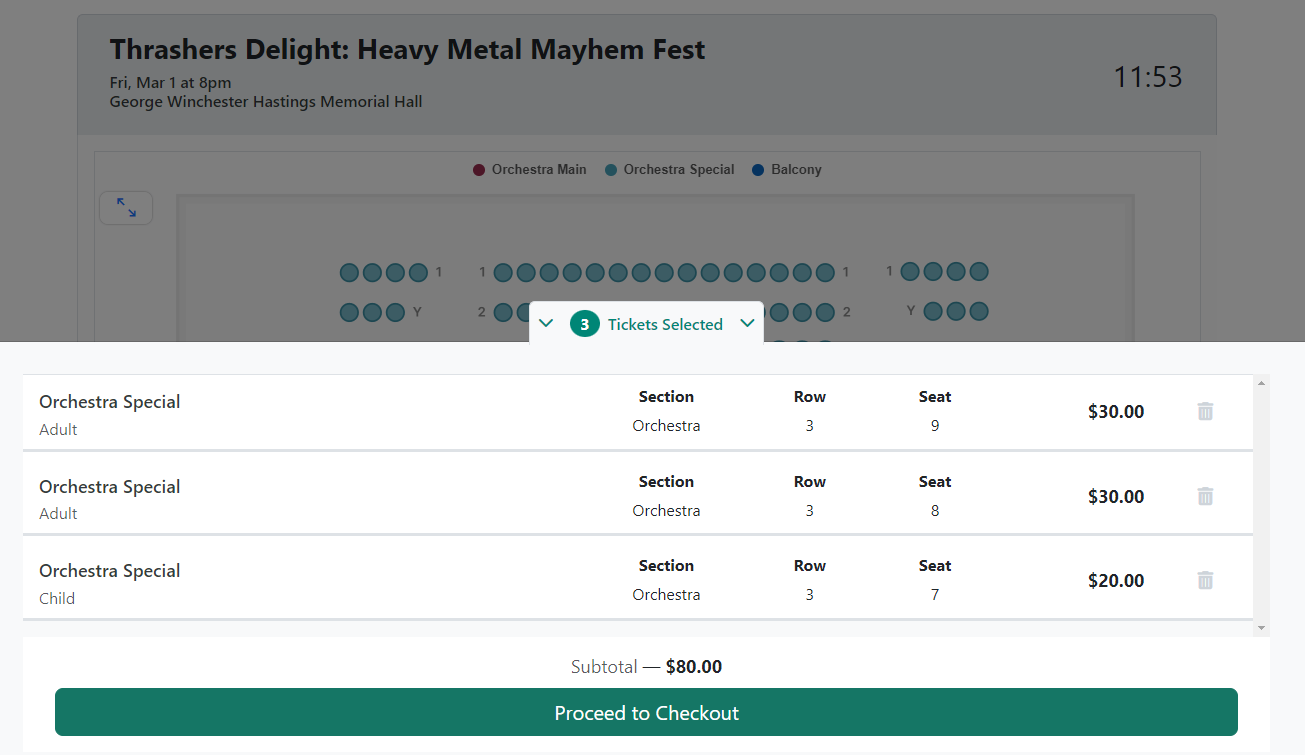
Once you've Proceeded to Checkout, confirm your order details (or click 'Keep Shopping' to return to seat selection). Then you'll review your order on the following screen. Complete any remaining requested info, be sure to review the Terms & Conditions and click the check box to accept, enabling you then to 'Submit Order'! Once your order is successfully processed, an order confirmation email will be sent to you with your receipt and your reserved seats!
We're happy to help with any assistance you might need. Please reach out to us at support@boldtypetickets.com